
Quick Lane Just Got Easier
Quick Lane Just Got Easier
Doing business with McRee Ford Quick Lane just got easier!
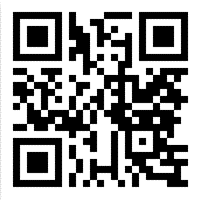
Access our all-new Quick Lane Customer Mobile Site to see the Next Available Start Time, Reserve Now & Check Status as your car progresses through the shop. Scan the QR Code on your smart phone or type in https://workstiming.com/app on your mobile browser's address bar.
Follow the steps below & on the back to add Icon to your Screen.
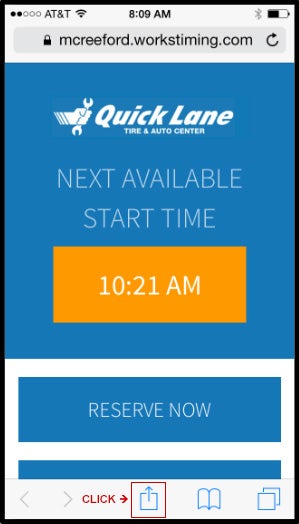
Step 1: Click the "Up Box" to open the menu
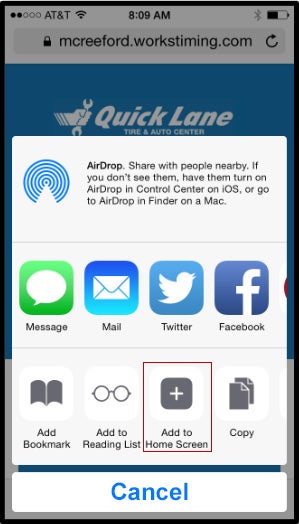
Step 2: Choose "Add to Home Screen"
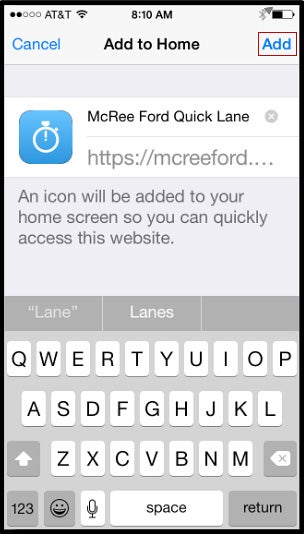
Step 3: Hit "Add"
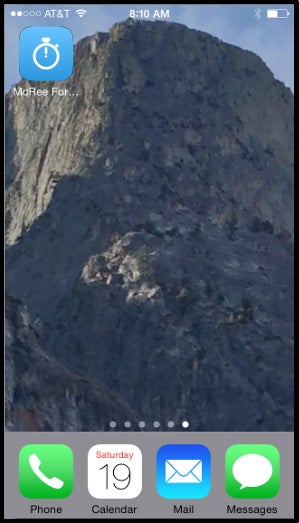
Step 4: You just added McReeFord Quick Lane to your Apps!